How does DNS resolution work?

Welcome to a new article.
In this article we will learn how does DNS resolution work.
What is a DNS, and why name resolution exists?
DNS stands for Domain Name System. DNS is just like a phonebook. As we all know, a phonebook stores mobile numbers with their respective owner names. In the same way, a DNS knows which domain exists on which machine (IP address).
But why does name resolution exist? We all search for a website in a browser using its domain, and each website resides on a machine having a unique IP address. But a browser needs the IP address of the machine where the domain resides so that browser can connect to it. But humans can’t remember the IP addresses. So DNS comes into the picture, and it allows us to use names instead of IP addresses. So browser interact with DNS to resolve domain name into IP address and that’s why name resolution exists.
Now we will see how someone can inspect DNS resolution using DIG tool.
What is the DIG?
DIG stands for Domain Information Grouper, and it’s a tool that retrieves information about DNS name servers. Mostly the DIG command is used for domain name resolution, DNS record lookup, and troubleshooting DNS problems.
Understand the DNS resolution with DIG commands
We all know that a DNS recursor works as a middleman between the browser and DNS server to fetch the IP address mapped to the domain name. With the help of DIG commands, we will get to know how the process goes. We will use the domain name google.com to understand the flow by executing the dig commands.
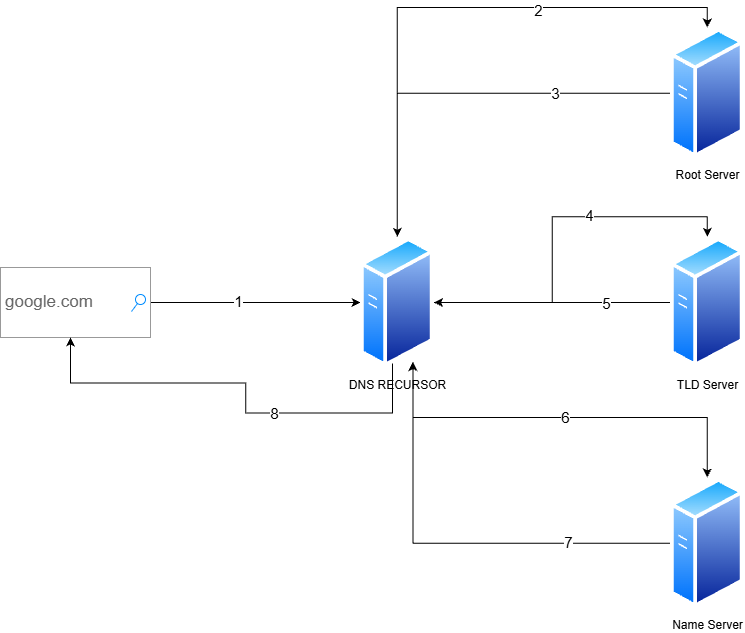
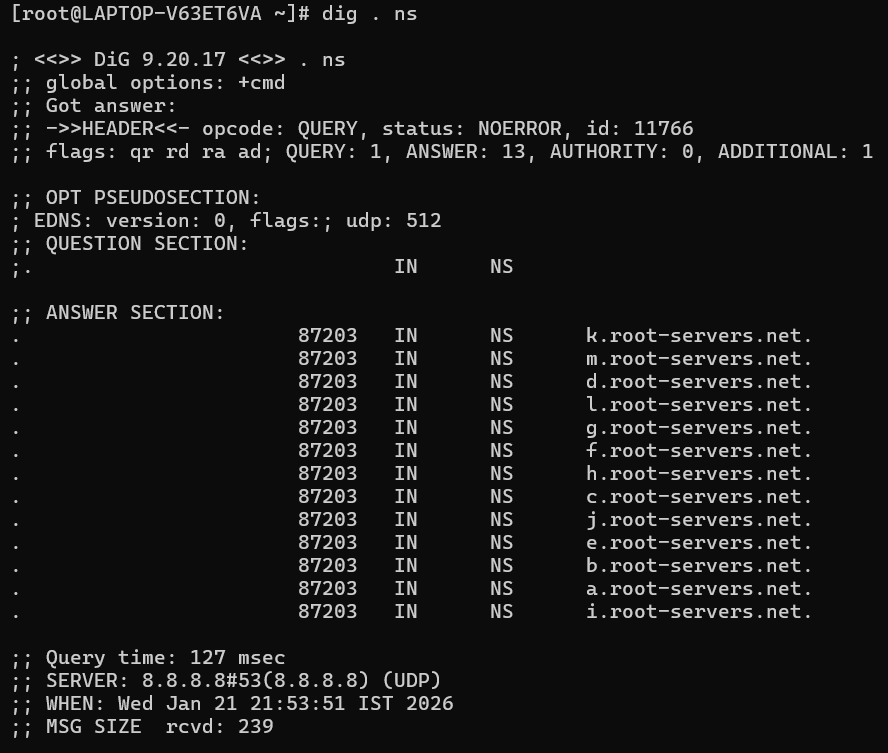
dig . ns: The process starts with the interaction of the DNS recursor with the root servers, and this command will list all the root servers. And DNS recursor will start from one of them.
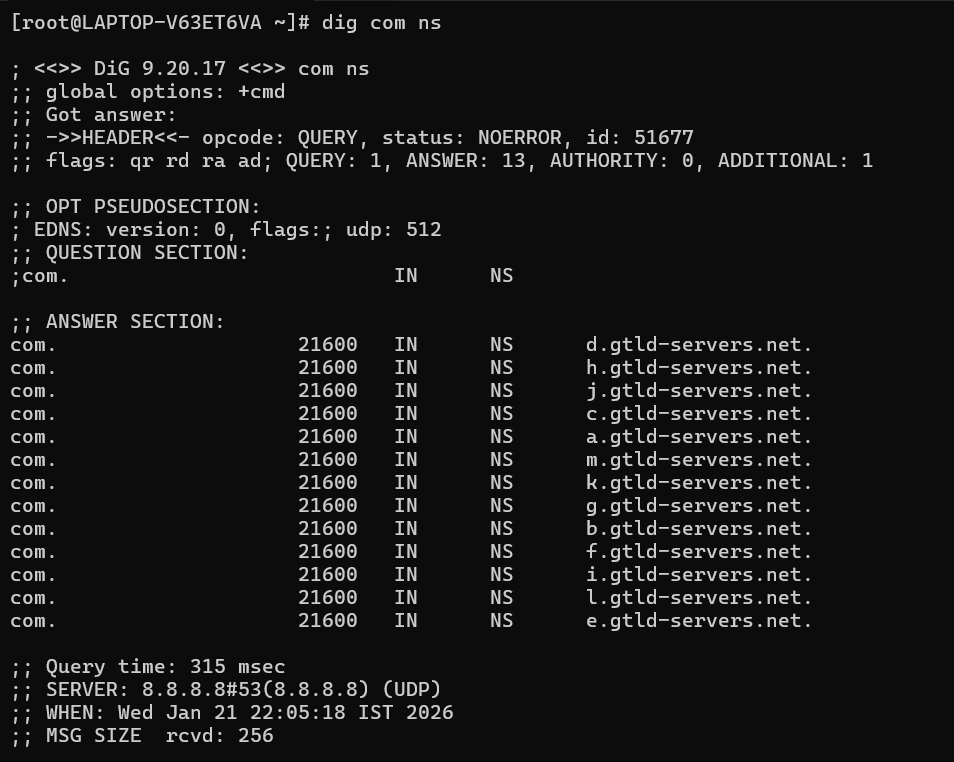
dig com ns: When the DNS recursor interacts with the root server, then the root server will give the IP of the TLD server (Top Level Domain Server). So the DNS recursor will interact with the TLD server now. The command will list the TLD server for ‘.com’.
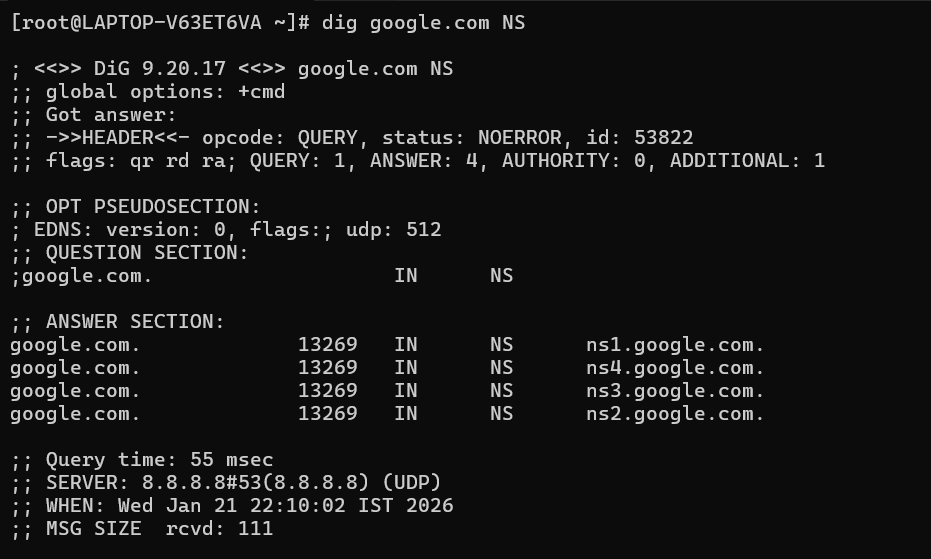
dig google.com ns: The TLD server will return the IP of the authoritative name server. So the DNS recursor will ask the authoritative name server for the IP of the domain. This command will list the authoritative name server for google.com.
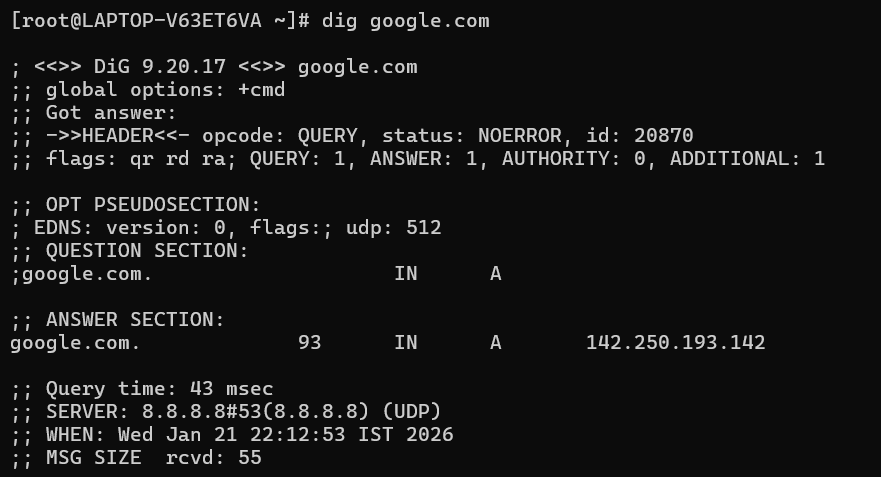
dig google.com: The authoritative name server will then return the IP of the domain to the DNS recursor. And the DNS recursor will provide the IP to the browser to communicate. This command will return the DNS ‘A’ record for the domain. It simply means the IP of the domain.
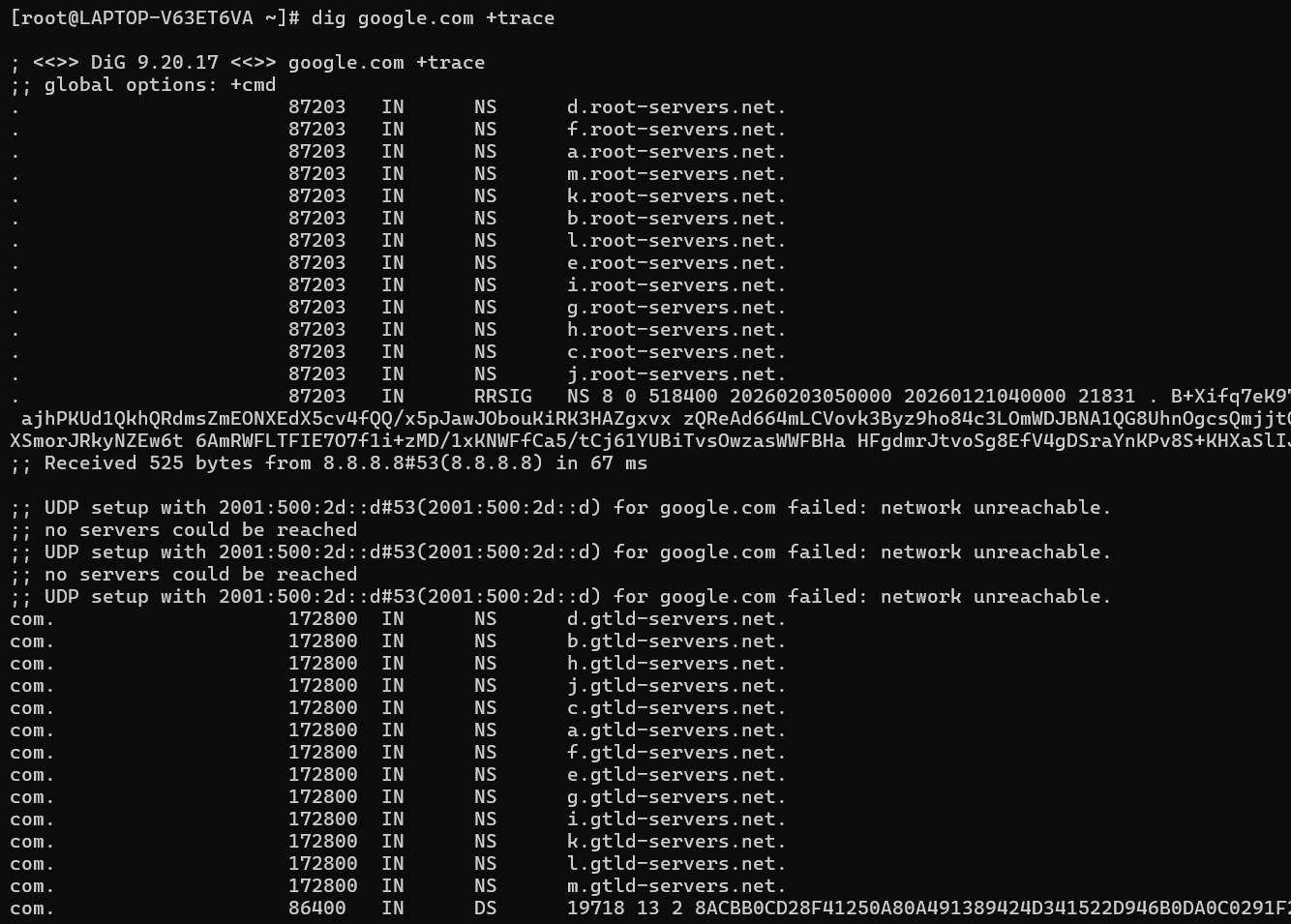
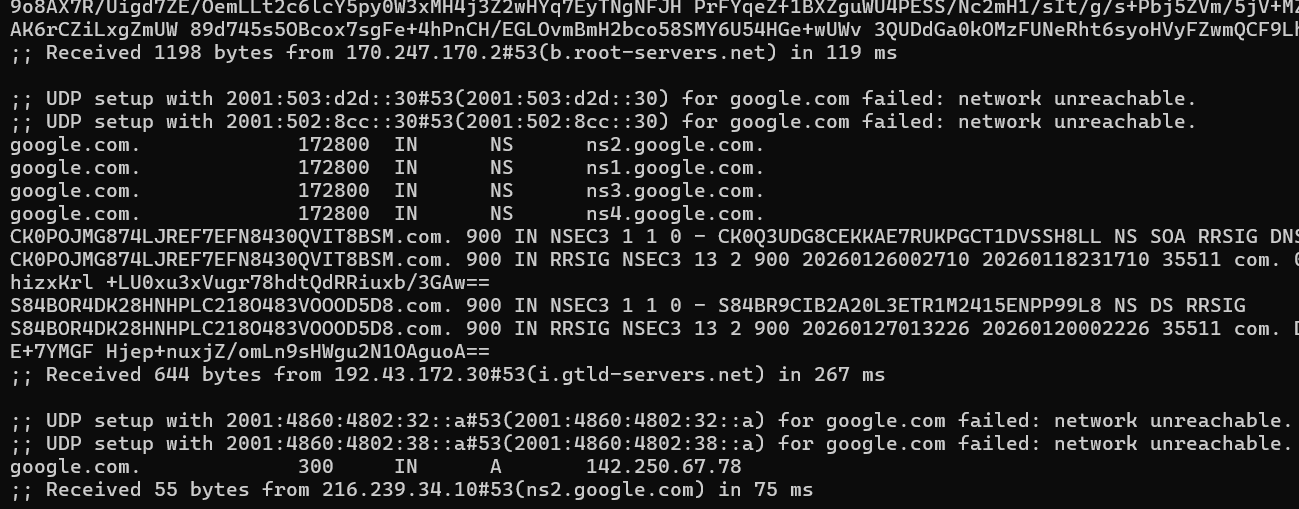
dig google.com +trace: If you want to see the list of all servers from where the DNS recursor gone till it finds the IP, you can use the command.
The commands that we have seen above are not the only commands.
A common dig command looks like this dig [@server] [name] [type] [options].
We can use a server address, and so dig will go through that particular server. For example,
dig @8.8.8.8 google.comWe can fetch any kind of domain record by typing the type of record. For example,
dig google.com MX.We have some options available to use in the dig command to manage output. Options are given below:
+trace → This option will list all the servers through which the query for name resolution goes.
+noall +answer → This option will only give the answer section of the output.

+noall +question → This option will only give the question section of the output.

+short → This option will give a very concise output.

+nssearch → This option will return the names of the name servers.

Hope you all liked the article.
Thank You!


